


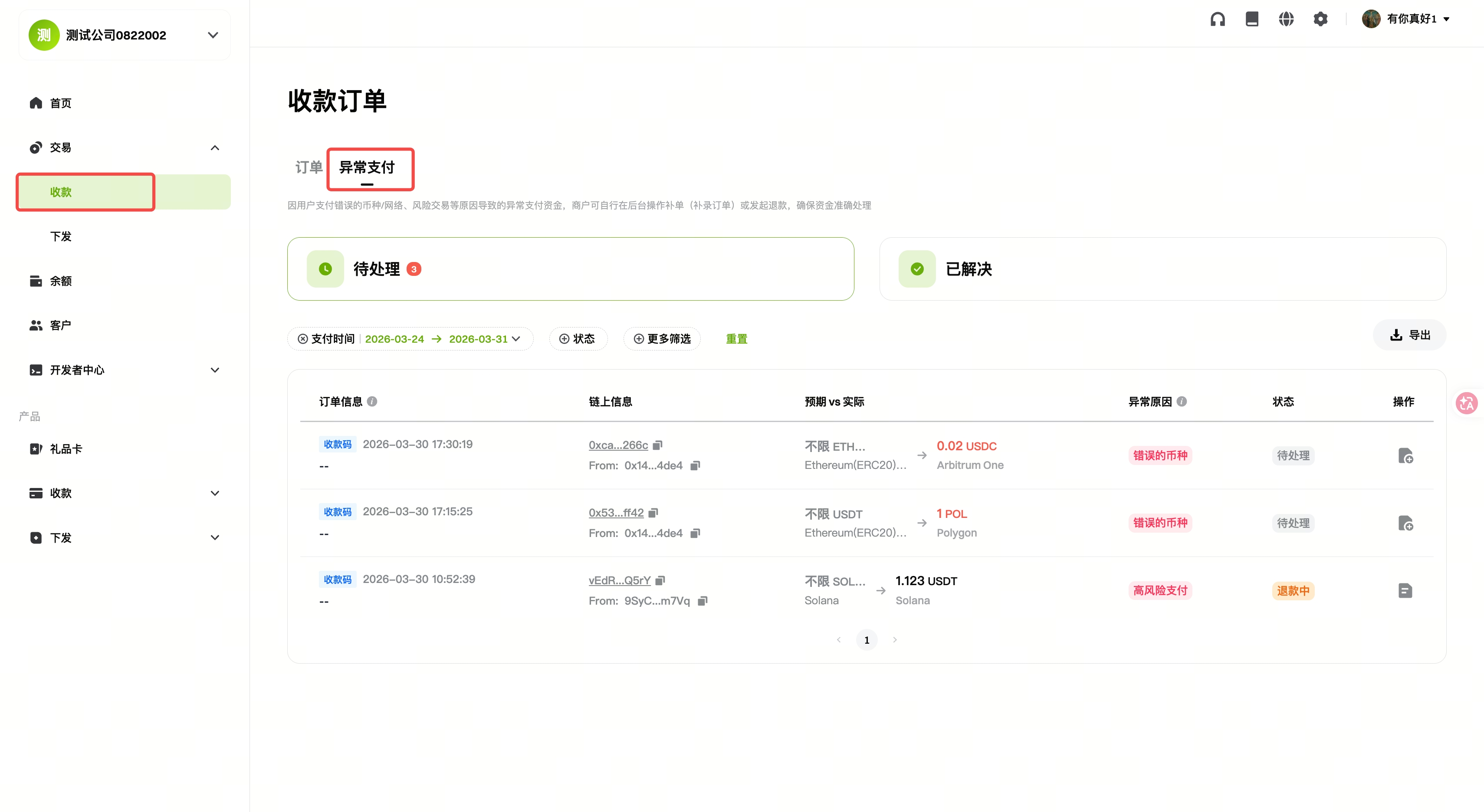
Merchants encountering issues such as incorrect tokens, wrong networks, or blocked transactions during payment collection can resolve these exceptions via the merchant dashboard by navigating to [Collection] → [Abnormal Payments].
1. What Types of Abnormal Payments Can Be Handled?
- Merchant Supplementary Orders Supported: Orders with wrong network or wrong token, and payment transactions to static addresses on EVM networks that have been deleted.
- Merchant Refunds Supported: Blocked transactions flagged as high risk, and blocked transactions to “deleted fixed addresses.”
- Cases Requiring Gate Pay Account Manager Assistance for Refunds:
- For tokens/chains not supported by Gate Pay but supported by Gate Exchange: An equivalent 20 USDT fee will be deducted from the confirmed on-chain assets, and the remaining assets will be refunded.
- If the token is not supported by Gate Exchange, but the payment’s blockchain network is supported, generally, we do not process or refund these transactions. If the paid token is confirmed to be a safe asset, the merchant may prepay a 20 USDT fee to Gate, after which we will assist in a full refund to the user (the merchant may decide whether to pass this fee to the user).
- If both the token and the network are not supported by Gate Exchange, Gate Pay cannot process these funds.
If the order amount is less than 20 USDT, a refund cannot be processed.
2. Refund & Supplementary Order Rules
Refunds
- Currently, only abnormal transactions classified as “blocked” are eligible for refunds, and no handling fee is charged.
- After submitting a refund request, you must contact your Gate Pay account manager for approval.
Supplementary Orders
- Once a supplementary order is successfully processed, a new valid order will be generated. The new order amount is credited directly to the merchant’s balance, and a new transaction record is created.
- The status of the original abnormal order remains unchanged and can still be queried as usual.
3. How to Process Refunds & Supplementary Orders
Step 1: Log in to the Merchant Dashboard → [Collection] → [Abnormal Payments]
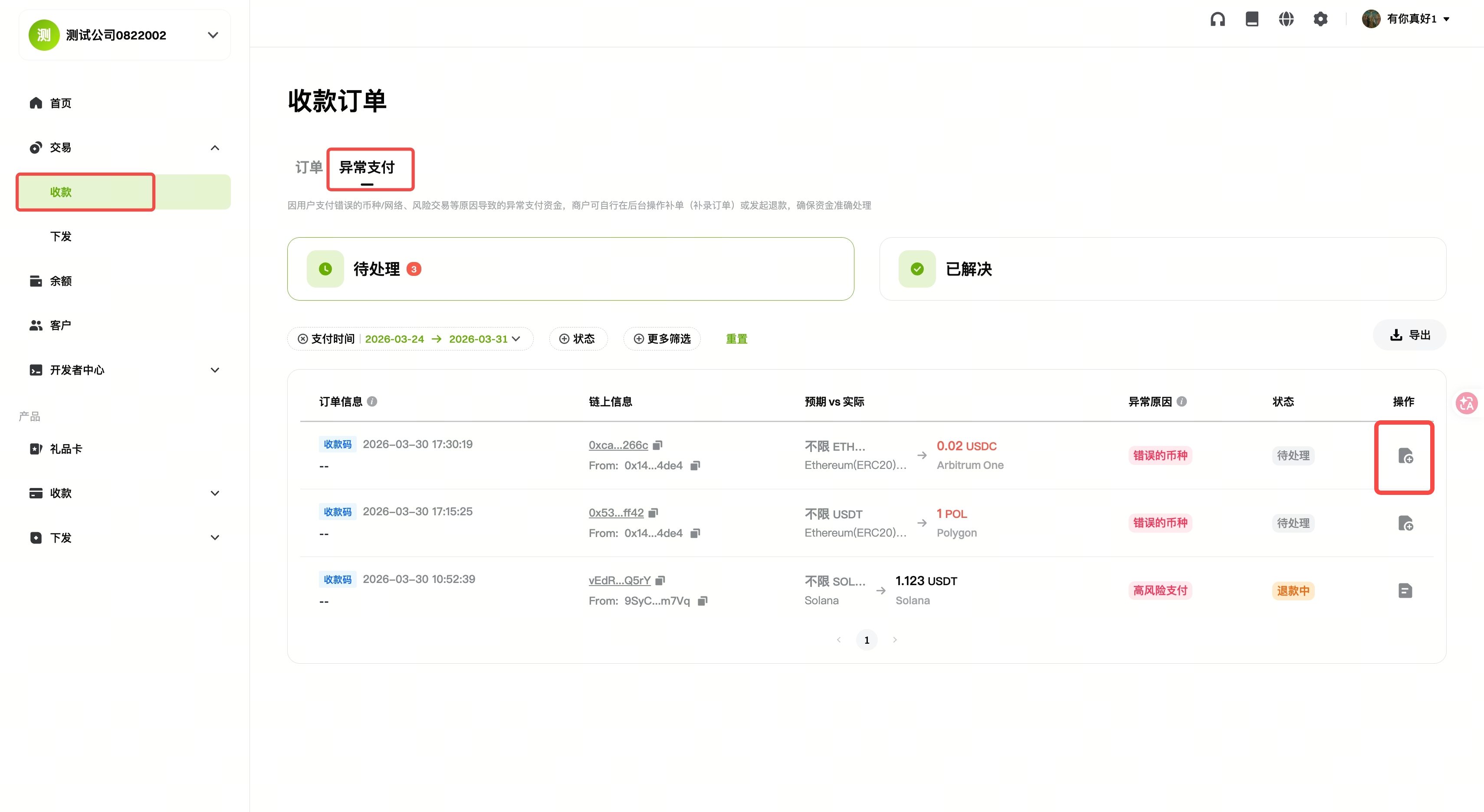
Step 2: Click “Action”
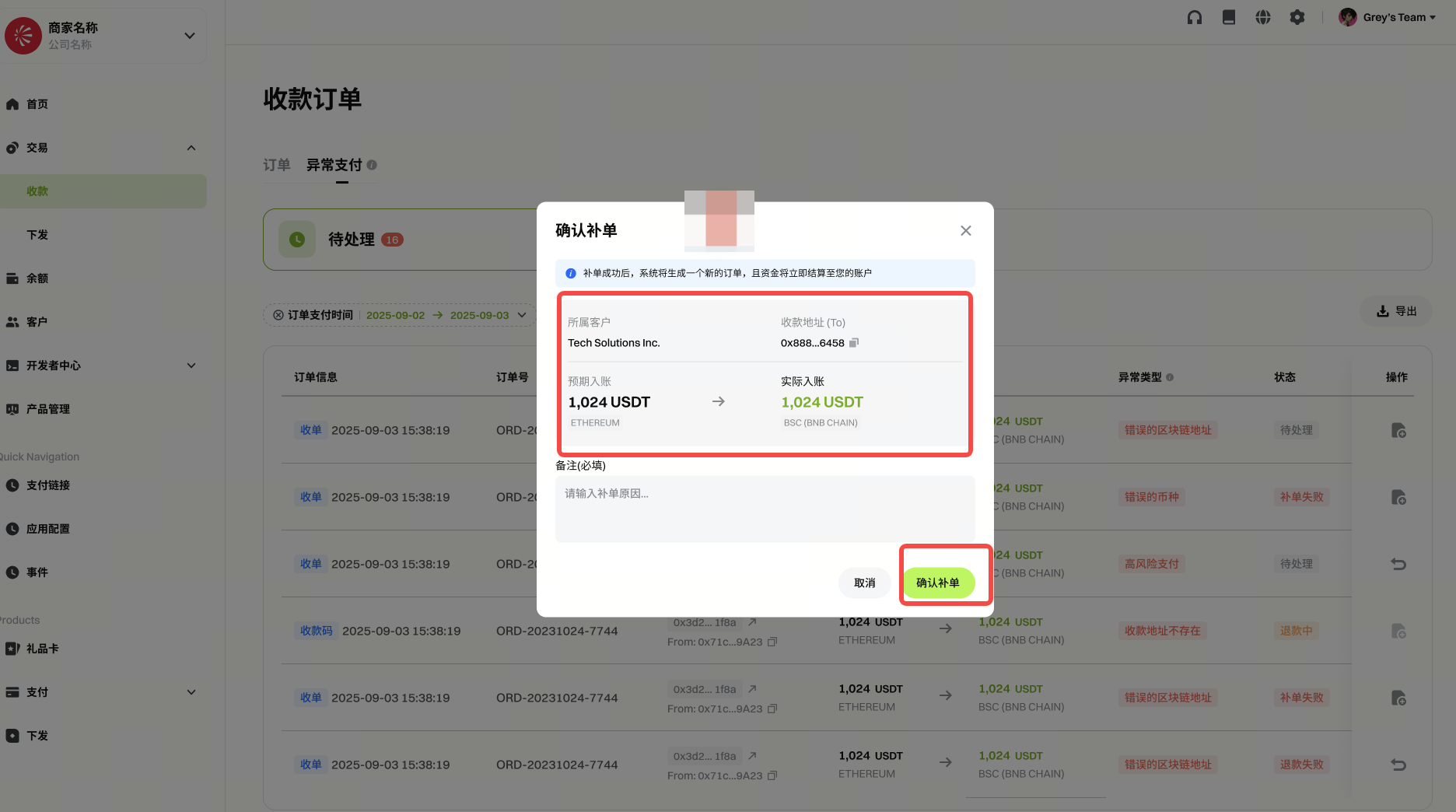
Supplementary Order:
Review the order details, enter the reason for the supplementary order, and click “Confirm.”
Refund:
-
Refund to Original Address:
Review the refund details and click “Confirm.”
(For blocked orders, the default is to refund to the original address.)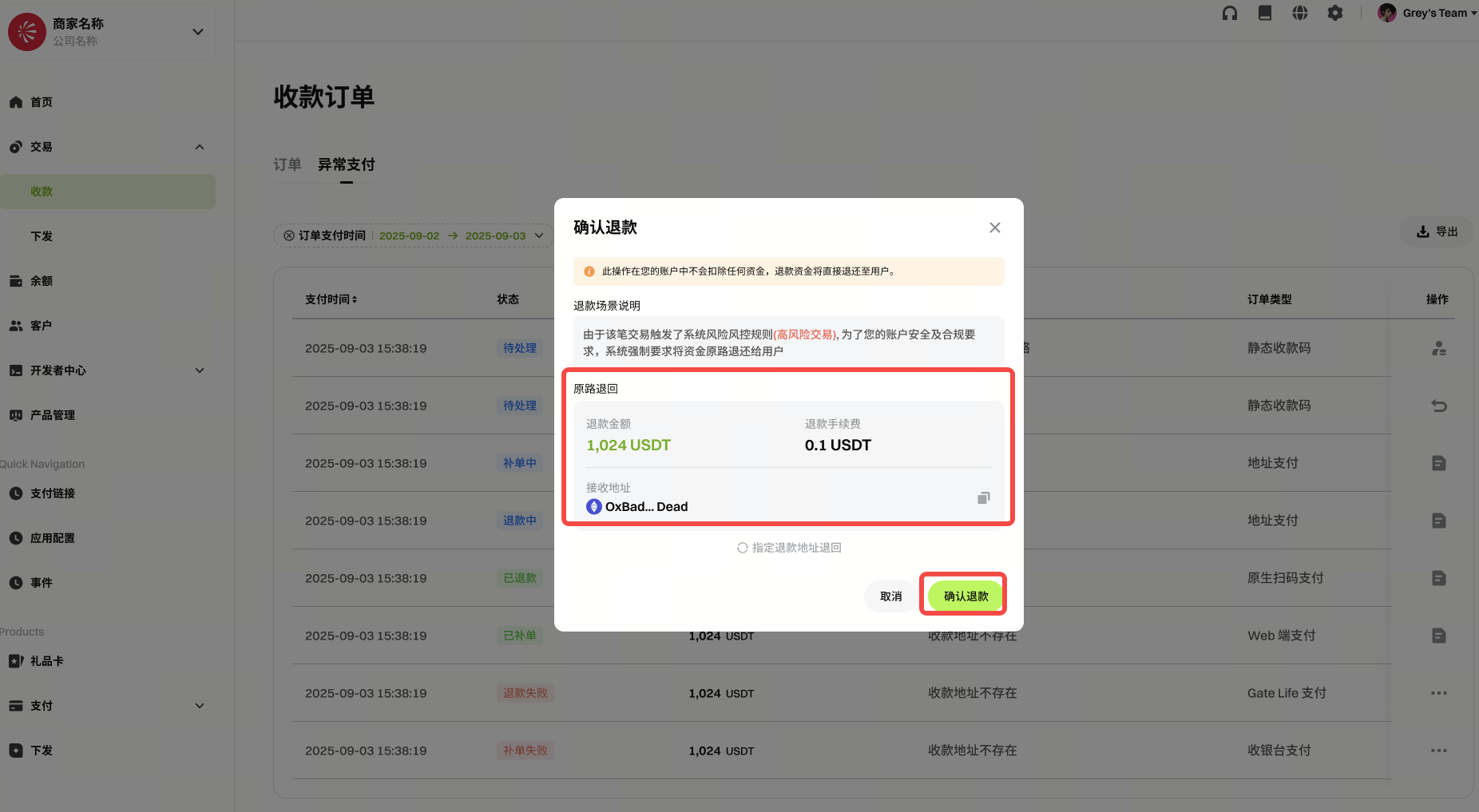
-
Refund to a Specified Address:
Enter the designated refund address and click “Confirm.”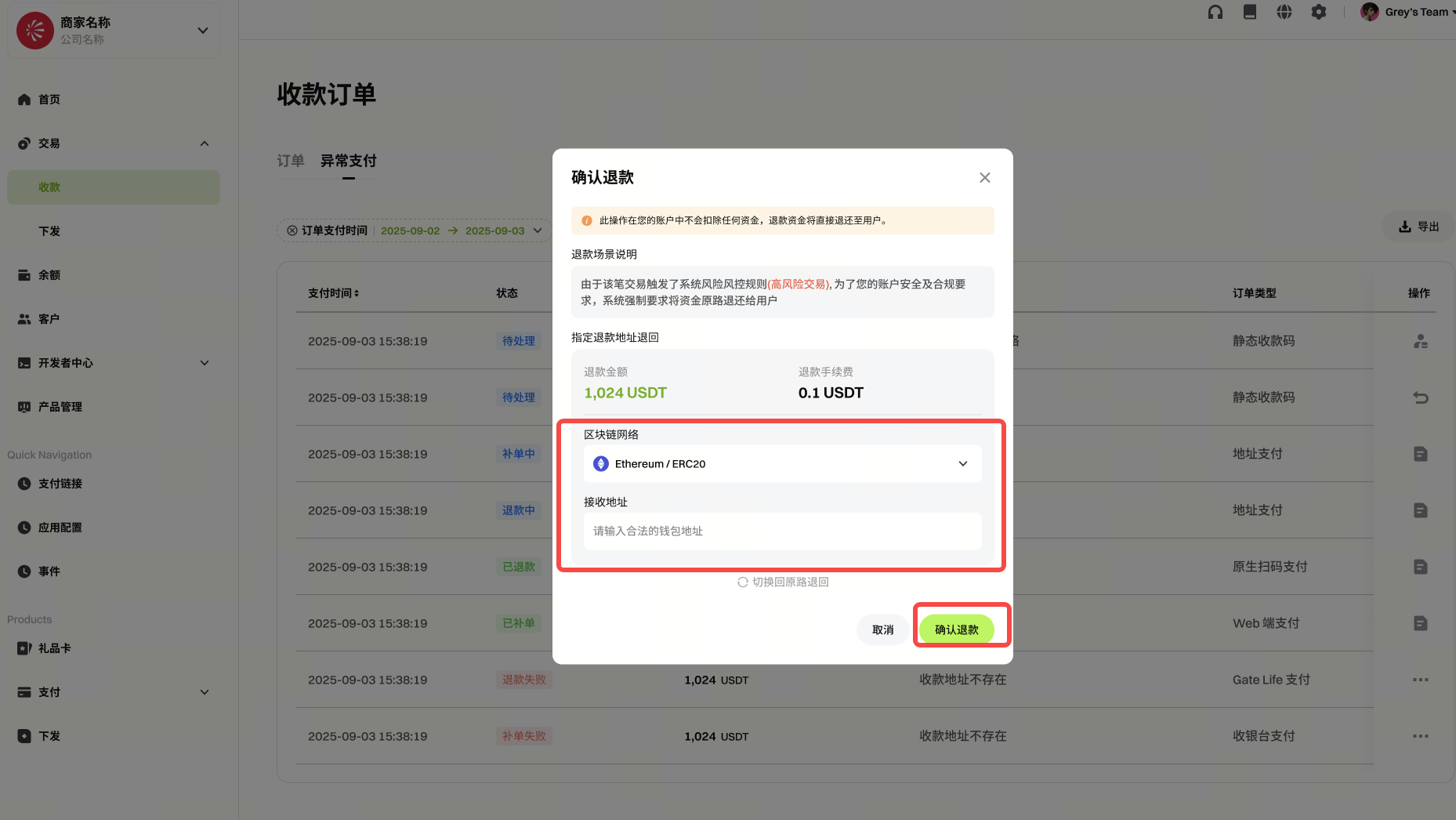
Disclaimer
The content provided herein is for reference and educational purposes only and does not constitute any financial, investment, trading, or legal advice, nor does it constitute an offer or solicitation to buy or sell any digital assets. Gate makes no express or implied representations or warranties regarding the accuracy, completeness, or timeliness of the information contained herein. Product features, interfaces, rules, and fee structures may be updated or adjusted at any time. Please refer to the latest announcements and the actual information displayed on the Gate platform for the most accurate details.
Digital asset investments involve significant risk, and prices may fluctuate substantially. You may lose the entire amount of your investment. Please make decisions cautiously based on your own financial situation and risk tolerance after fully understanding the associated risks. If necessary, you are advised to consult an independent professional financial or legal advisor.
For more information about potential risks, please refer to Gate's Risk Disclosure and User Agreement.
