


This article applies to: Gate App
Preparation Before You Begin:
Before getting started, please review the following key information to help you successfully complete your Gate Booster posting task:
a. What is the Gate Booster Posting Task?
The posting task is designed to transform the core value of a project into impactful social media visibility within the industry. By continuously producing high-quality content, it fosters a symbiotic relationship between the brand and creators. We encourage our partners to publish insightful, Gate-branded content on major social platforms like X (Twitter), YouTube, and others. While sharing your content, creators can also earn attractive incentives.
b. Preparatory Steps
Make sure you have registered and logged into your Gate account, and have completed identity verification (KYC).
Estimated time required: 3 minutes
Objective
This guide will walk you through how to complete a Gate Booster task on the Gate App.
Steps
Step 1: Access the Gate Booster Page
From the official website navigation bar, go to More] > [Promotion] > select [[Gate Booster] to enter the page.
Note: Posting tasks are only open to users who have been approved for Gate Booster. Click here to view the application tutorial.
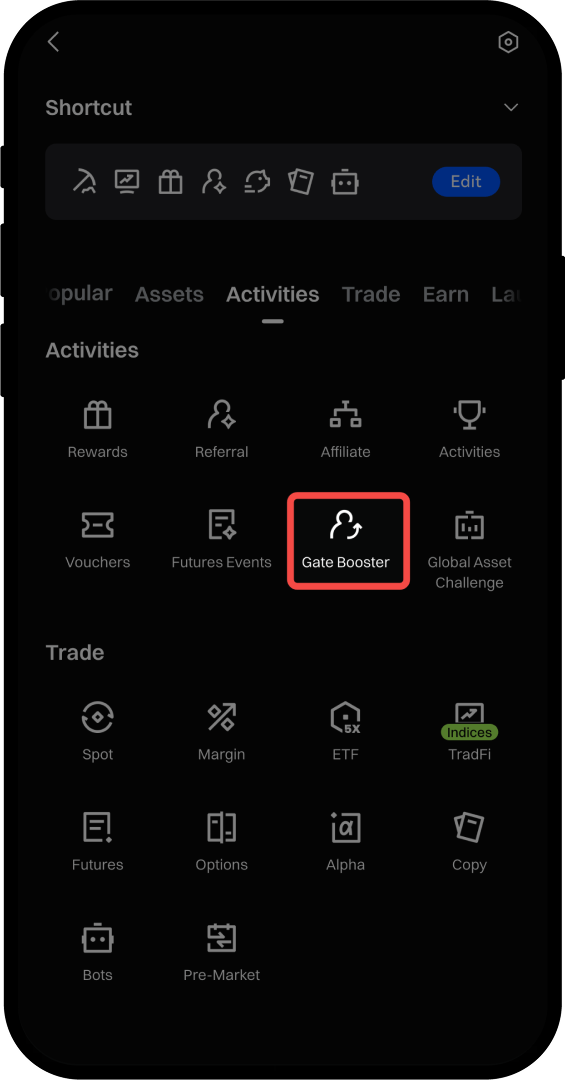
Step 2: Sign Up for a Task
Once on the page, select a task and click [Join Now].
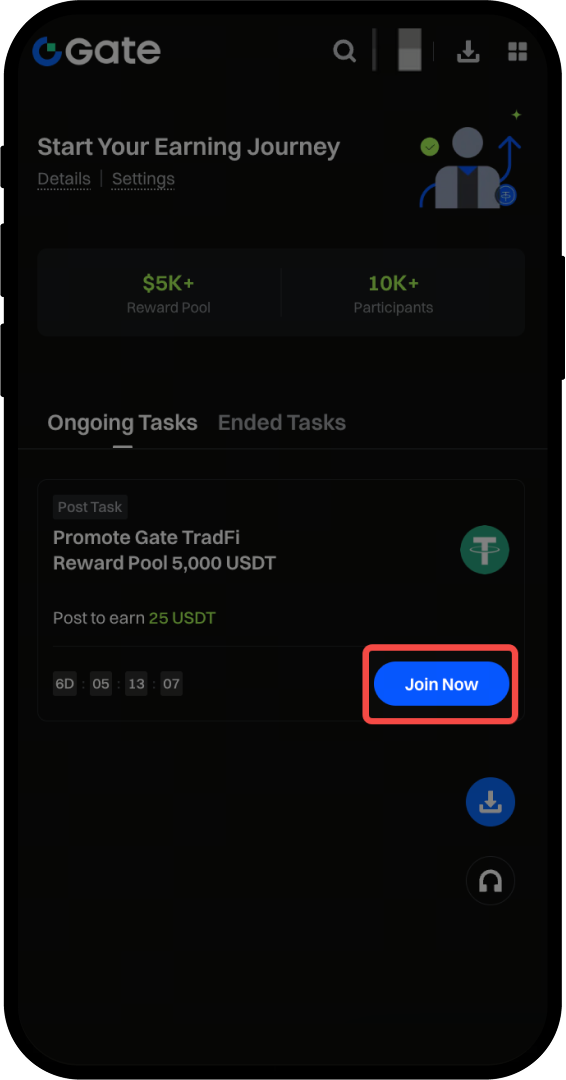
Step 3: Review Task Details
Click on the task card to view the details page. Carefully read the rules, publishing requirements, and reference materials to ensure you understand the task requirements and all relevant details.
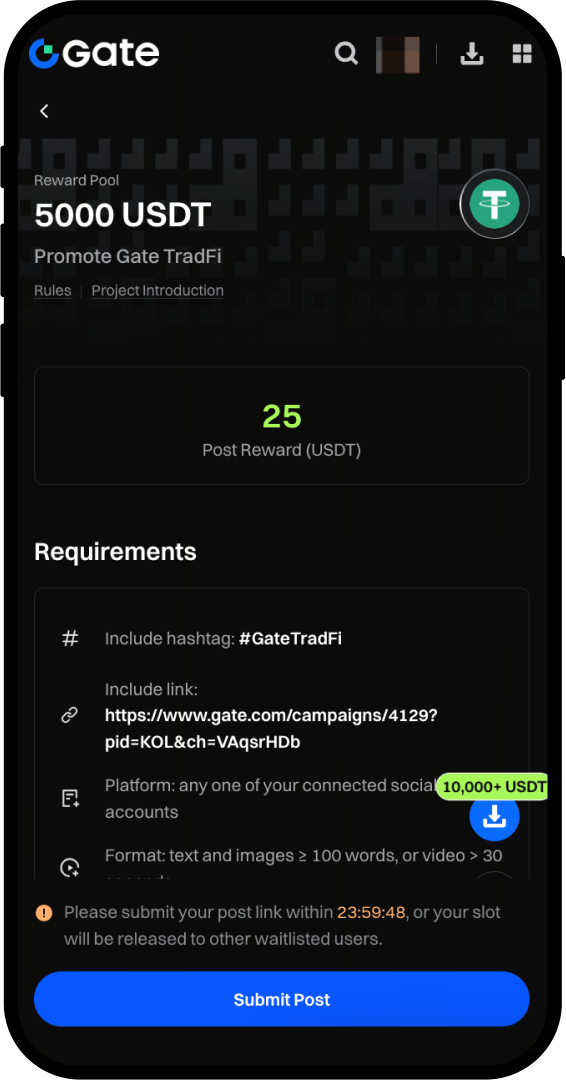
Step 4: Create Your Original Post
Draft your post content based on the reference copy and publish it on your social media platform. Please make sure your content meets the requirements.
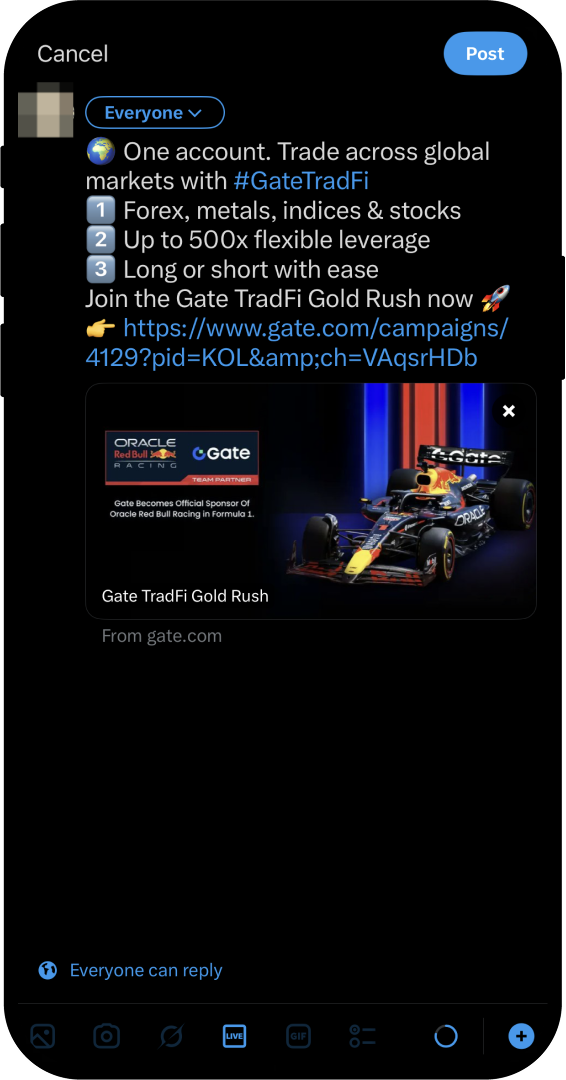
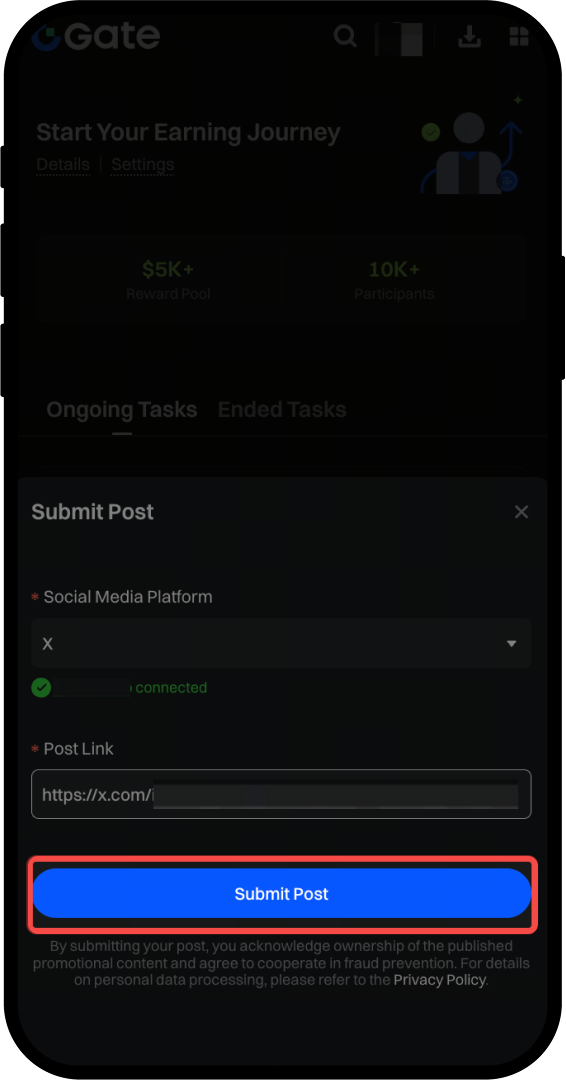
Step 5: Submit Your Post Link
After publishing, submit your post link. Click the “Submit Post” button. To prevent your promotional post from being used by others, please complete social media binding as prompted before participating in the posting task. Then, paste the link to your published content into the submission box and click submit.
Note: Be sure to publish your content and upload a valid link within 24 hours after successfully signing up. If you miss the deadline, the system will automatically reclaim the quota and release it to the waitlist.
Step 6: Review and Rewards
After submitting, you’ll see the review status. If approved, rewards will be distributed within 7 business days after the event ends. If not approved, the page will specify the reasons for rejection. After rewards are distributed, you’ll also receive a notification via in-site message and Push notification.
Please note: Only content that passes the review will be eligible for rewards. Please carefully follow the task guidelines before submitting to ensure accuracy and compliance. If you have any questions, feel free to contact our customer support team.
Disclaimer
The content provided herein is for reference and educational purposes only and does not constitute any financial, investment, trading, or legal advice, nor does it constitute an offer or solicitation to buy or sell any digital assets. Gate makes no express or implied representations or warranties regarding the accuracy, completeness, or timeliness of the information contained herein. Product features, interfaces, rules, and fee structures may be updated or adjusted at any time. Please refer to the latest announcements and the actual information displayed on the Gate platform for the most accurate details.
Digital asset investments involve significant risk, and prices may fluctuate substantially. You may lose the entire amount of your investment. Please make decisions cautiously based on your own financial situation and risk tolerance after fully understanding the associated risks. If necessary, you are advised to consult an independent professional financial or legal advisor.
For more information about potential risks, please refer to Gate's Risk Disclosure and User Agreement.
